Can You Screen Print AI-Generated Artwork?
AI has made it incredibly easy to turn an idea into an image. You can type a few sentences into ChatGPT, Gemini, or another AI tool and, seconds later, have something that looks like a finished T-shirt design.
There is just one problem: looking like a finished T-shirt design and actually being ready to screen print are two very different things.
At Parkway, we're seeing more customers use AI to help develop ideas for custom apparel. We actually think that's a great use of the technology. AI can be incredibly helpful for exploring concepts, communicating an idea, or finally showing us what you mean when you say, "Okay, picture a raccoon riding a jet ski, but make it vintage."
But the artwork AI creates is rarely ready to go directly onto a screen-printing press. Here's why.
AI Doesn't Apply How Screen Printing Works
When you ask an AI image generator to create a T-shirt design, its job is to make something that looks good on your screen. It isn't necessarily thinking about what happens when someone actually has to print the thing.
Screen printing has its own set of production requirements. Colors need to be separated. Fine details have limitations. Gradients and shading may require halftones. Line weights matter. The number of ink colors matters. The artwork also needs to be high enough resolution, or ideally created as vector artwork.
A design can look fantastic on your phone and still make our art department stare at it for a few minutes wondering where to begin.
The Mockup Isn't the Artwork
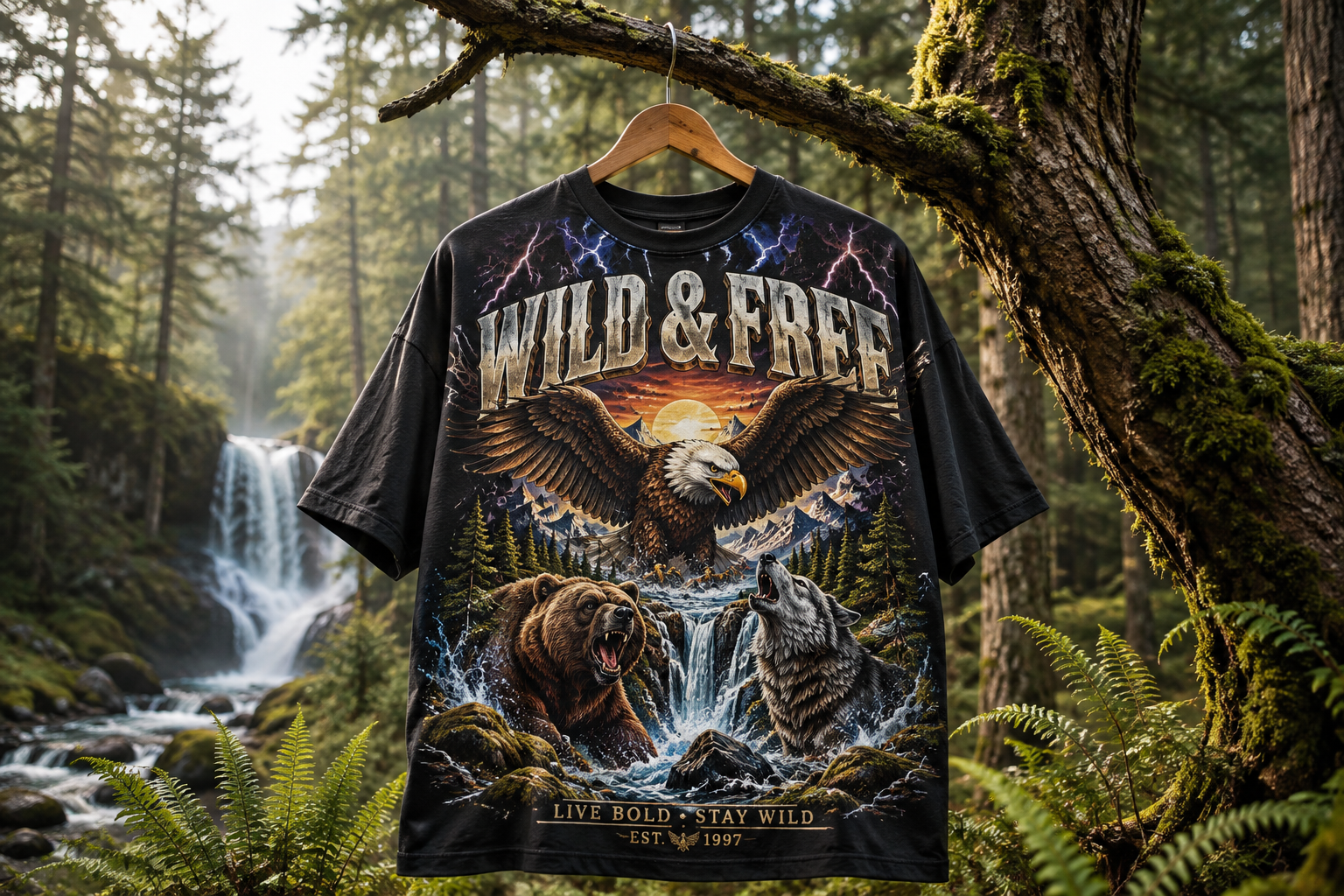
This is one of the biggest issues we see. Someone asks AI to "create a T-shirt design," and AI creates exactly that: an image of a T-shirt with artwork printed on it.
Unfortunately, we can't screen print the picture of the shirt.
We need the actual artwork. If you're using AI to develop a concept, ask it to create the artwork by itself on a clean, plain background, not a photograph or mockup of a person wearing the finished shirt.
The cleaner the original image, the easier it is for our team to understand what you're trying to create and determine what needs to happen to make it printable.
AI Thinks Every T-Shirt Graphic Should Be Enormous
For reasons we don't fully understand, AI seems to believe every T-shirt graphic should cover approximately 87% of the human torso.
You'll often see AI mockups with designs stretching nearly from seam to seam or from the collar halfway to the person's knees. It can look cool in the generated image, but it can also create some unrealistic expectations about how large the artwork should actually print.
A standard screen-printing press has maximum imprint dimensions, and the same artwork usually needs to work across multiple garment sizes. What appears perfectly proportional on AI's imaginary 6'4" model wearing an imaginary XL may not work when that same design needs to print on an actual Small.
This is why we recommend using AI to develop the graphic rather than relying too heavily on the way AI shows it positioned on a shirt. Our team can recommend an imprint size that works for the garments you're actually ordering.
Zoom In Before You Fall in Love
AI is very good at creating an overall impression. It can be considerably less impressive when you start looking closely.
Letters may be slightly wrong. Objects blend together. Lines disappear unexpectedly. Hands continue to occasionally do things hands were never intended to do. Small details turn into strange blobs. A baseball might have seven seams. A building might have a window that leads directly into another dimension.
Sometimes you don't notice any of this until you zoom in. And sometimes, if we're being fair, the artwork just looks like AI.
There isn't necessarily anything wrong with that if it's the aesthetic you're after. But if the goal is a professional piece of branded merchandise, those little inconsistencies can make the finished design feel less intentional. Our art team looks at those details before something reaches production.
More Detail Doesn't Always Mean a Better Shirt
AI loves detail. It loves shadows, textures, tiny lines, subtle color changes, complicated backgrounds, dramatic lighting, and apparently adding three more things anytime you ask it to make something "cooler."
Screen printing doesn't always share that enthusiasm.
A generated illustration may contain hundreds of tiny elements that help make the digital image impressive but make the design unnecessarily complicated to reproduce on a shirt. Often, the best solution isn't figuring out how to print every single detail. It's deciding which details actually matter.
That might mean reducing colors, strengthening important lines, removing unnecessary texture, adjusting small elements, or rebuilding portions of the artwork so the design translates better to ink and fabric.
A good T-shirt graphic isn't just an illustration placed on a shirt. It's artwork designed to work on a shirt.
Resolution Matters
AI-generated images are typically raster images made from pixels. Screen-printing artwork needs to remain clean and sharp when enlarged to the final print size.
This becomes a problem when a small AI image that looks perfectly sharp on your phone suddenly needs to become a 12-inch-wide back print. Enlarging a low-resolution image can result in blurry edges, pixelation, and lost details.
Whenever possible, start with the largest, highest-resolution version your AI tool will provide. And please, for the love of good T-shirts, don't send us a screenshot of the artwork if the original file is available.
If you don't know whether your file is large enough, that's okay. Send us what you have and we'll take a look.
AI Doesn't Know Your Brand
This might actually be more important than file resolution, color separations, or any of the technical stuff.
AI can generate something visually interesting without knowing whether it actually makes sense for your business. Your restaurant, brewery, school, company, event, or organization has a personality, and good merchandise should feel like it belongs to that personality.
AI doesn't know which shirts your customers actually wear. It doesn't know which design you made three years ago that people still ask about. It doesn't know that everyone at your brewery hates the obvious beer-hop graphic you've already used twelve times.
That's where human judgment still matters. AI can generate possibilities, but deciding which possibility is actually worth printing is a different job.
The Best Way to Use AI for a T-Shirt Design
If you want to use AI while developing your next shirt, we're all for it. We just recommend thinking of it as a concept tool rather than your finished graphic designer or production artist.
Use AI to explore general concepts, illustration styles, layouts, characters, mascots, visual directions, and different ways to communicate an idea. Generate ten ridiculous ideas. Keep the two that don't suck. That's a perfectly reasonable creative process.
Then send us the result and tell us what you like about it. Maybe you love the illustration style but hate the lettering. Maybe the overall concept is right, but there are too many details. Maybe the raccoon is perfect, but his left arm appears to belong to a completely different animal.
That information is extremely helpful because it gives our design team a clear direction without requiring the AI-generated image to become the final artwork.
How to Get Better AI Artwork for Screen Printing
If you're going to generate artwork yourself, a better prompt can make our job significantly easier.
Instead of asking:
"Make me a cool T-shirt for my brewery."
Try giving the AI some actual production parameters:
"Create a screen-printable T-shirt graphic for a craft brewery. Use a maximum of three solid colors. Use bold, clean lines and avoid gradients, shadows, photorealism, and extremely fine details. Show only the artwork on a plain background. Do not place the design on a T-shirt or model."
You can also tell the AI how many colors you want, what illustration style you're looking for, which elements must appear, which elements should stay far away, and that the artwork needs bold lines with minimal small details.
Will doing all of this automatically produce press-ready artwork? Probably not. But it can give our team a much better starting point.
Sometimes We Need to Recreate It
Depending on what AI gives you, our art team may recommend rebuilding part or all of the design. That doesn't mean your AI concept failed or that you wasted your time creating it.
It actually means the AI probably did its job. You used it to communicate an idea, and now our designers can take that idea and turn it into artwork created specifically for screen printing.
That may include redrawing elements, cleaning up shapes, correcting strange AI details, recreating text, adjusting proportions, simplifying colors, or rebuilding the artwork as a production-friendly file. In many cases, the finished design can stay very close to the original concept while simply becoming a much better T-shirt graphic.
And yes, custom artwork takes more time than dropping an AI image directly onto a shirt. There's a reason for that. Our graphic artists aren't just making something look good on a computer screen. They're designing something that needs to look good when you're actually wearing it.
AI Is a Tool. So Are We.
We're not anti-AI. We use AI too. In fact, AI helped us somewhere along the way while putting together this article, which feels appropriately ridiculous.
It's an incredibly useful tool for brainstorming, communicating ideas, and getting a concept out of your head and onto a screen. What we don't recommend is assuming that because AI created something that looks like a T-shirt, the image is automatically ready to become one.
Use AI to experiment. Use it to get weird. Use it to finally show us that oddly specific shirt idea you've been unsuccessfully trying to explain for three years. Then let our art and production teams figure out how to make it work in the real world.
Because generating the idea is the easy part. Making it look good in ink is where we come in.